11 HTML5拖放网页前端/web开发工程师
/ 福清师大传播学院网页前端/web开发工程师 / 2016-07-31

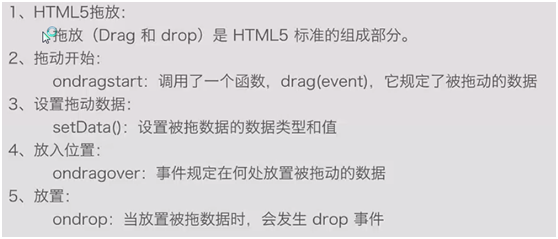
1.代码示例:
<!DOCTYPE html>
<html>
<head lang="en">
<meta charset="UTF-8">
<title></title>
<style>
.box
{
width: 300px;
height: 300px;
}
#box1
{
float: left;
background-color: aquamarine;
}
#box2
{
float: left;
background-color: antiquewhite;
}
</style>
<script src="index_03.js"></script>
</head>
<body>
<div id="box1" class="box"></div>
<div id="box2" class="box"></div>
<img id="img1" src="c4463898ca3d4626e81b77901b1f39fc.gif">
<div id="msg"></div>
</body>
</html>
var box1Div,msgDiv,imgDiv,box2Div;
 window.onload=function()
 {
     box1Div=document.getElementById("box1");
     msgDiv=document.getElementById("msg");
     imgDiv = document.getElementById("img1");
     box2Div=document.getElementById("box2")
     //box1Div.ondragenter = function(e)
     //{
     //        showObj(e);
     //}

     box1Div.ondragover = function(e)
     {
         e.preventDefault();
     }
     box2Div.ondragover = function(e)
     {
         e.preventDefault();
     }
     imgDiv.ondragstart = function(e)
     {
         e.dataTransfer.setData("imgId","img1");
     }
     box1Div.ondrop=dropImgHangdler;
     box2Div.ondrop=dropImgHangdler;
 }

 function dropImgHangdler(e)
 {
     showObj(e.dataTransfer);
     e.preventDefault();
     var img = document.getElementById(e.dataTransfer.getData("imgId"));
     e.target.appendChild(img);
 }

 function showObj(obj)
 {
     var  s ="";
     for(var k in obj)
     {
         s+= k + ":"+obj[k]+"<br/>"
     }
     msgDiv.innerHTML=s;
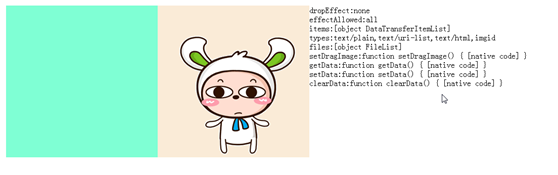
 }



Act师大校友联盟
1914篇文章
大家好,我是小明,请多多指教!


热文榜单